
Pandas+Numpy+Sklearn隨機(jī)取數(shù)
本文轉(zhuǎn)自公眾號(hào):尤而小屋
本文記錄的是如何使用Python、pandas、numpy、scikit-learn來(lái)實(shí)現(xiàn)隨機(jī)打亂、抽取和切割數(shù)據(jù)。主要的方法包含:
sample shuffle np.random.permutation train_test_split

導(dǎo)入數(shù)據(jù)
In [1]:
import pandas as pd
import numpy as np
import random  # 隨機(jī)模塊

import plotly_express as px  # 可視化庫(kù)
import plotly.graph_objects as go
內(nèi)置數(shù)據(jù)
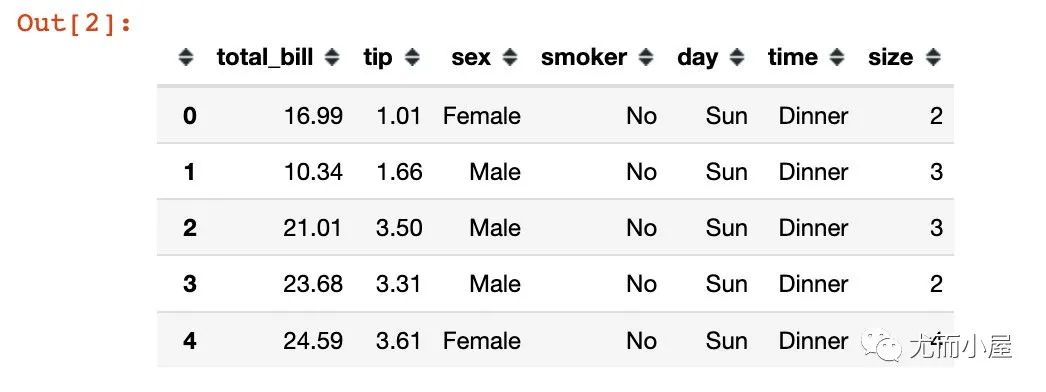
采用的是plotly庫(kù)中內(nèi)置的一份消費(fèi)數(shù)據(jù)集:
In [2]:
df = px.data.tips()
df.head()
基本信息
In [3]:
df.shape
Out[3]:
(244, 7)
In [4]:
columns = df.columns
columns
Out[4]:
Index(['total_bill', 'tip', 'sex', 'smoker', 'day', 'time', 'size'], dtype='object')
sample實(shí)現(xiàn)
行方向
In [5]:
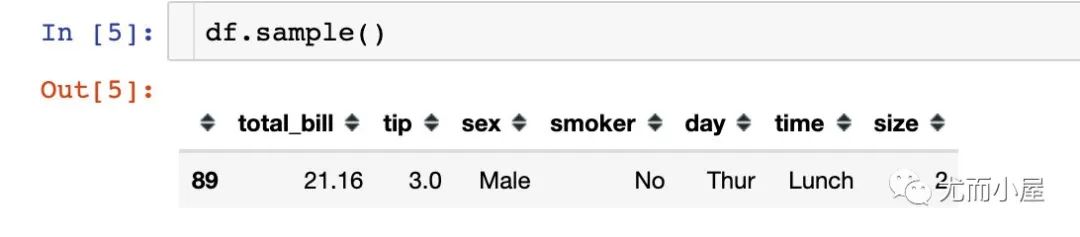
隨機(jī)抽取一行記錄:
df.sample() # 隨機(jī)抽取一行記錄
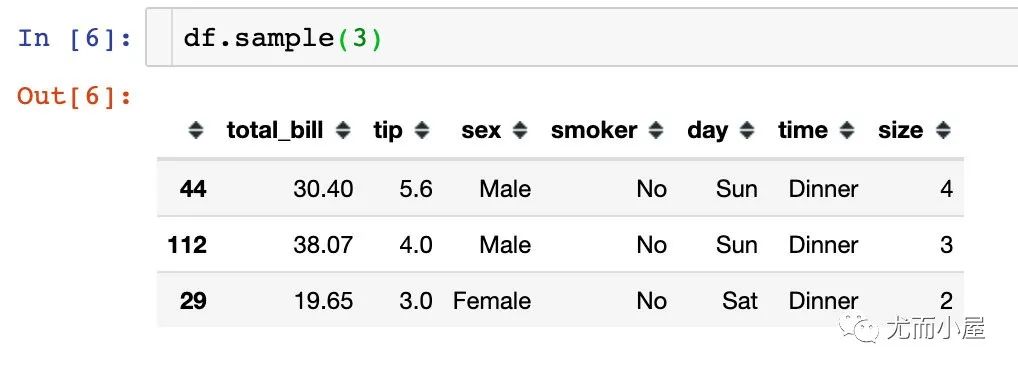
隨機(jī)抽取多行數(shù)據(jù):
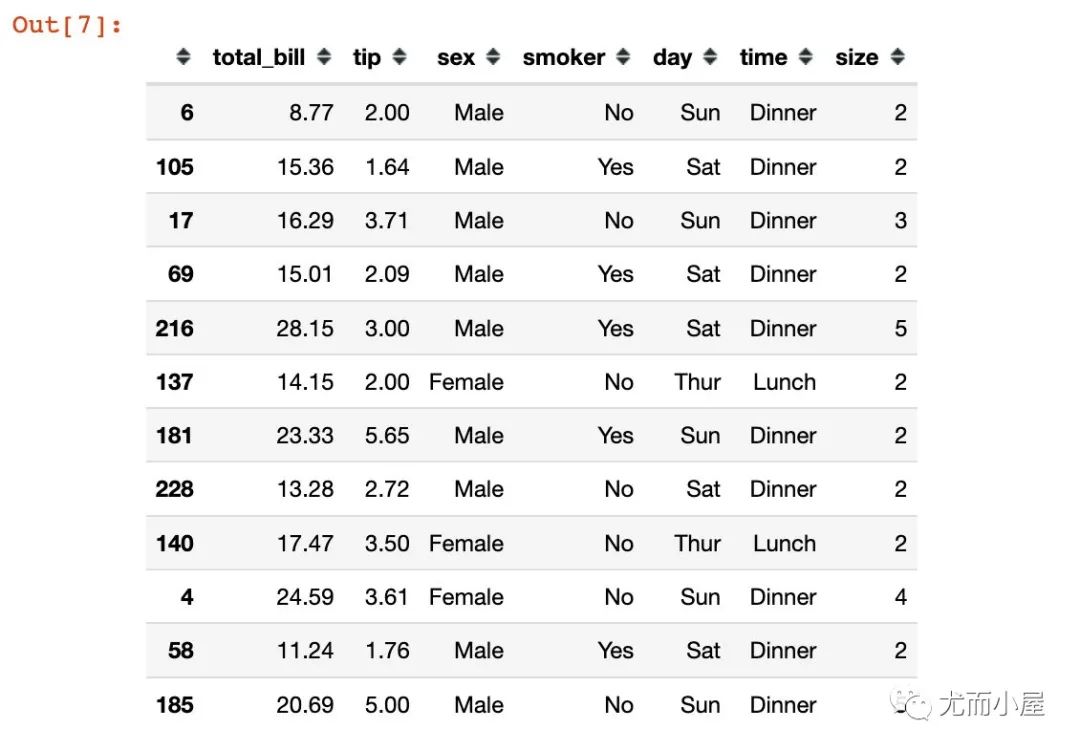
通過(guò)參數(shù)frac實(shí)現(xiàn)按照比例隨機(jī)抽樣:
df.sample(frac=0.05)
列方向
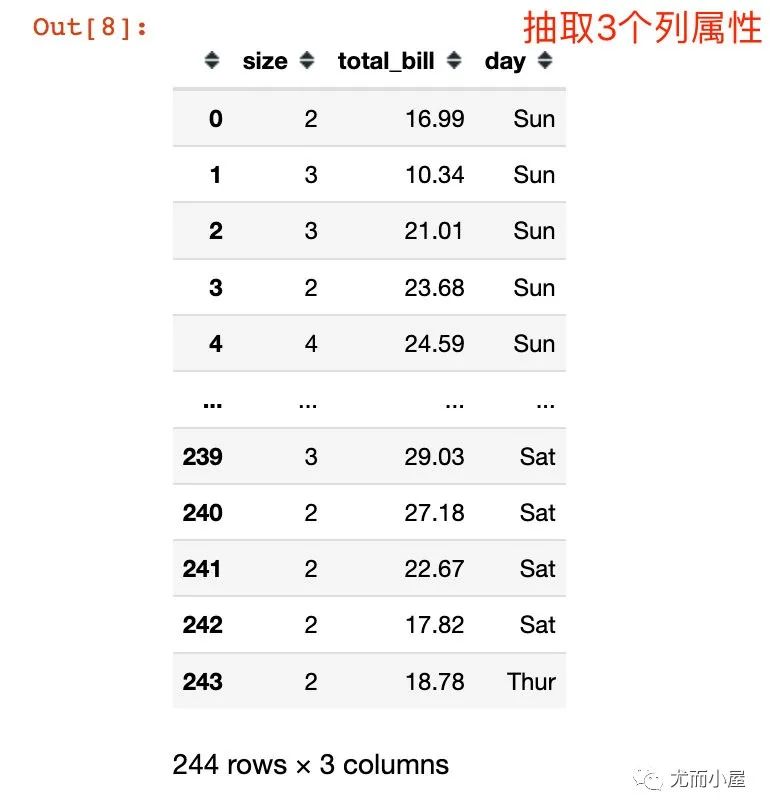
主要是選擇不同數(shù)量或者比例的屬性;整體的行數(shù)量是不變的
In [8]:
df.sample(3, axis=1) # 在列屬性上抽取
shuffle實(shí)現(xiàn)
scikit-Learn的shuffle
In [9]:
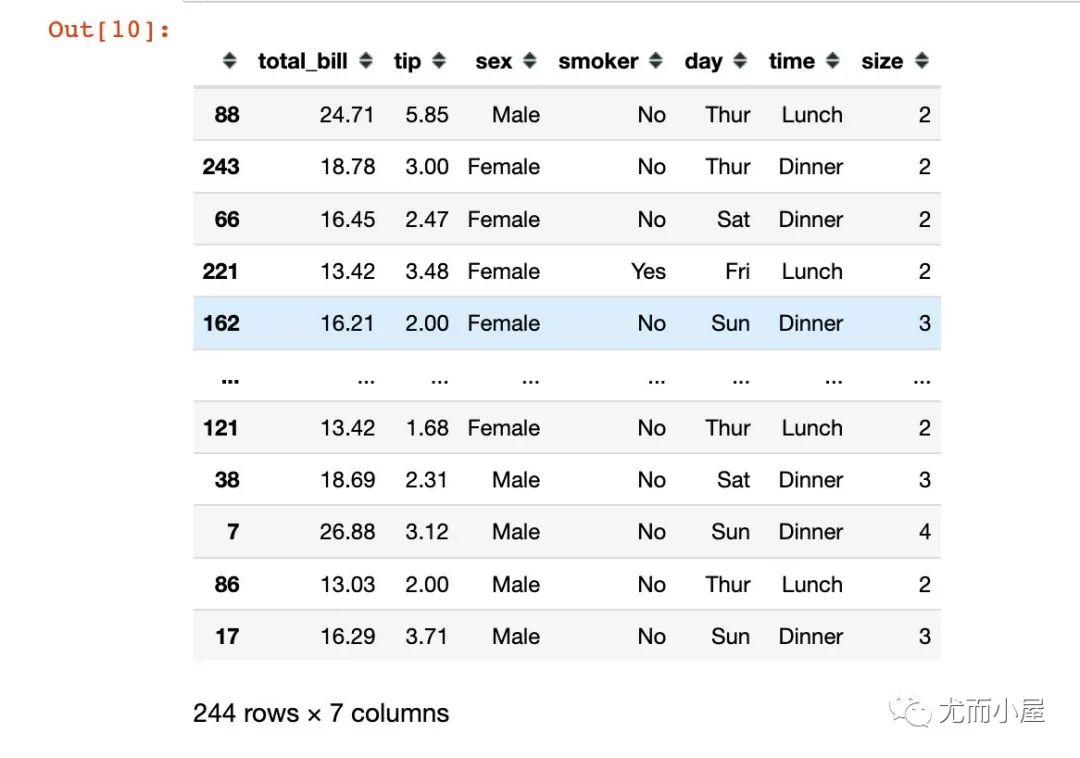
from sklearn.utils import shuffle
In [10]:
shuffle(df) # 打亂數(shù)據(jù)
random模塊的shuffle
In [11]:
length = list(range(len(df)))  # 原始的長(zhǎng)度作為索引
length[:5]
Out[11]:
[0, 1, 2, 3, 4]
In [12]:
random.shuffle(length) # 打亂索引
In [13]:
length[:5]
Out[13]:
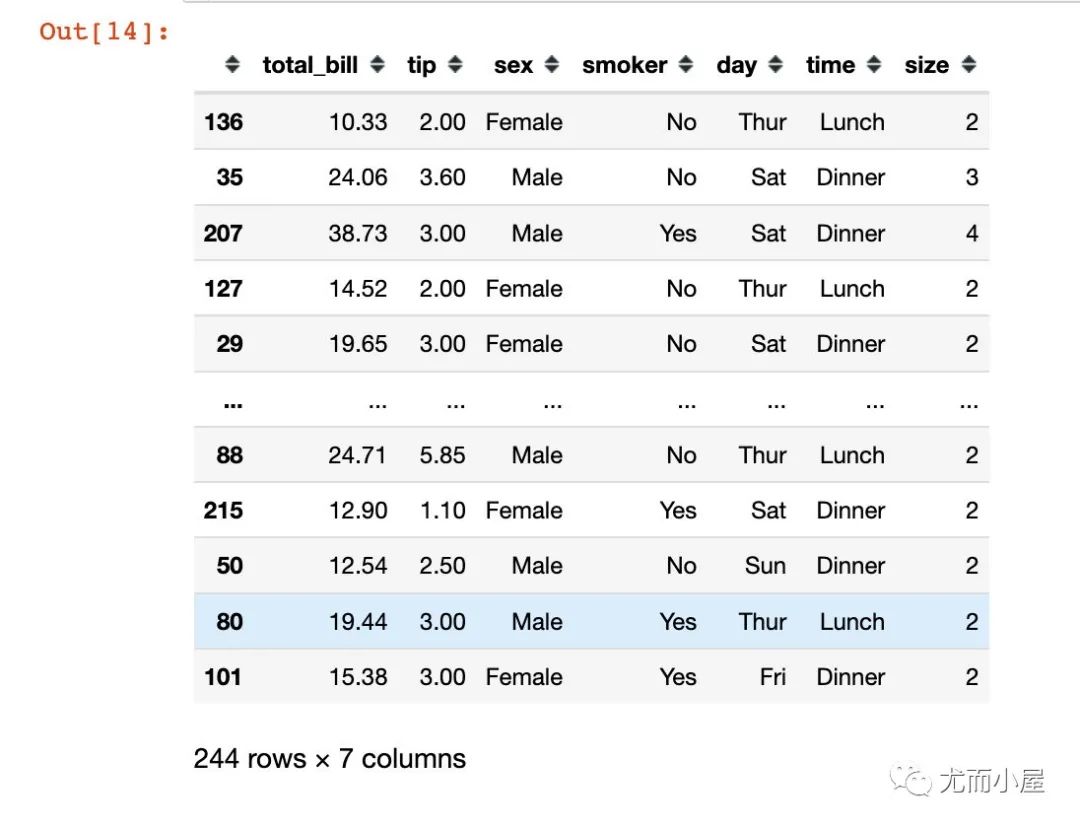
[136, 35, 207, 127, 29] # 打亂后的結(jié)果
In [14]:
df.iloc[length] # 通過(guò)打亂后的索引獲取數(shù)據(jù)
numpy實(shí)現(xiàn)
In [15]:
# 先打亂每個(gè)索引
np.random.permutation(len(df))
Out[15]:
array([223,  98, 238,  17, 101,  26, 122, 212,  27,  79, 210, 147, 176,
        82, 164, 142, 141, 219,   6,  63, 185, 112, 158, 188, 242, 207,
        45,  55, 178, 150, 217,  32,  16, 160, 157, 234,  95, 174,  93,
        52,  57, 220, 216, 230,  35,  86, 125, 114, 100,  73,  83,  88,
        34,   7,  40, 115,  97, 165,  84,  18, 197, 151, 135, 121,  72,
       173, 228, 143, 227,   9, 183,  56,  23, 237, 136, 106, 133, 189,
       139,   0, 208,  74, 166,   4,  68,  12,  71,  85, 172, 138, 149,
       144, 232, 186,  99, 130,  41, 201, 204,  10, 167, 195,  66, 159,
       213,  87, 103, 117,  31, 211, 190,  24, 243, 127,  48, 218, 233,
       113,  81, 235, 229, 206,  96,  46, 222,  50, 156, 180, 214, 124,
       240, 140,  89, 225,   2, 120,  58, 169, 193,  39, 102, 104, 148,
       184, 170, 152, 153, 146, 179, 137, 129,  64,   3,  65, 128,  90,
       110,  14, 226, 181, 131, 203, 221,  80,  51,  94, 231,  44, 108,
        43, 145,  47,  75, 162, 163,  69, 126, 200,   1, 123,  37, 205,
       111,  25,  91,  11,  42,  67, 118, 196, 161,  28, 116, 105,  33,
        38,  78,  76, 224,  20, 202, 171, 177, 107,   8, 209, 239,  77,
       241, 154,   5, 198,  92,  61, 182,  36,  70,  22,  54, 187, 175,
       119, 215,  49, 134,  21,  60,  62, 168,  59, 155, 194, 109, 132,
        19, 199,  29, 191,  13,  30, 192, 236,  15,  53])
In [16]:
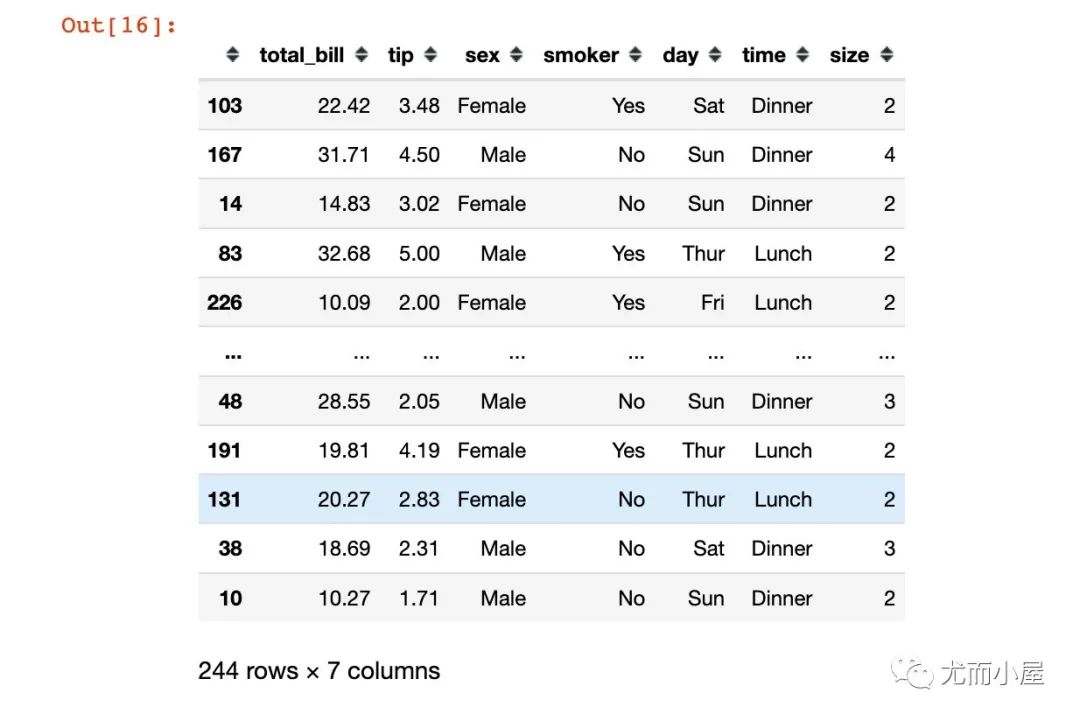
# 通過(guò)打亂后的索引來(lái)選擇數(shù)據(jù)

df.iloc[np.random.permutation(len(df))]
train_test_split實(shí)現(xiàn)
from sklearn.model_selection import train_test_split

data = []

for i in train_test_split(df, test_size=0.2):
    data.append(i)
In [18]:
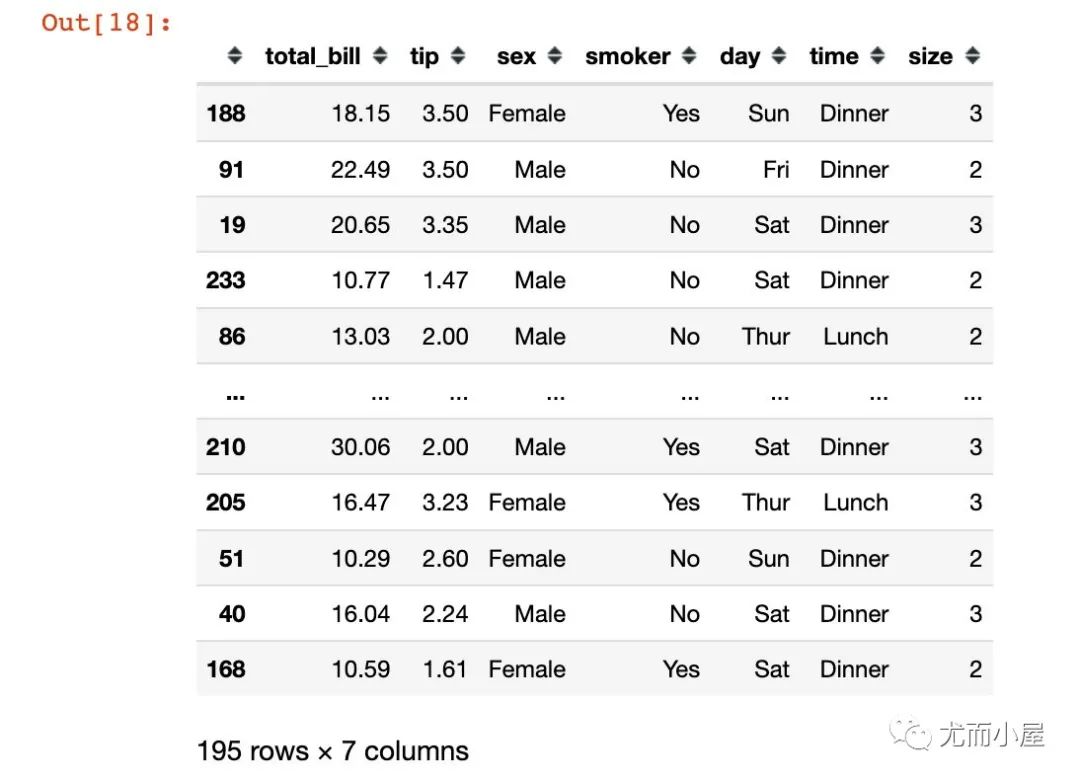
第一份數(shù)據(jù)是80%的:
data[0] # 80%的數(shù)據(jù)
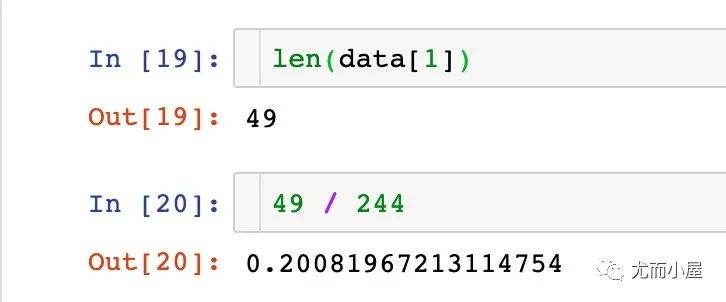
剩余的20%的數(shù)據(jù):

相關(guān)閱讀:
評(píng)論
圖片
表情