
3DUI Cocos Creator
分享一個(gè)小組件,實(shí)現(xiàn)3DUI~
效果
使用效果、步驟、原理見視頻[1]
環(huán)境
Cocos Creator 3.7.1
原理
UI相機(jī)生成一張RT,動(dòng)態(tài)計(jì)算UV生成四方形網(wǎng)格
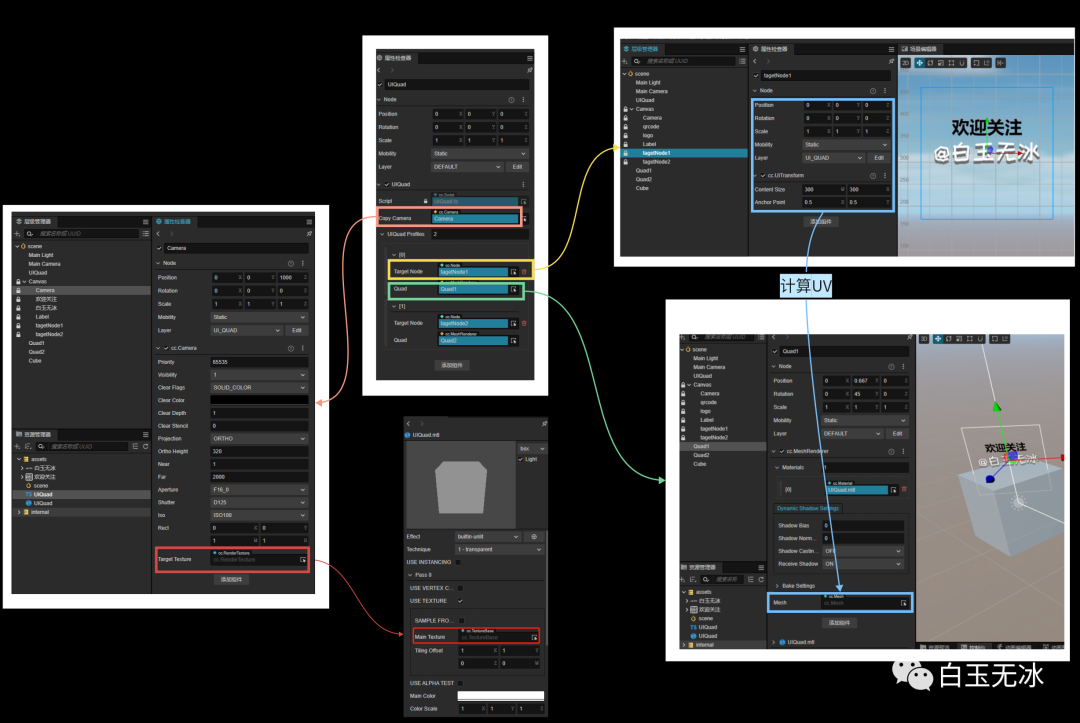
步驟
層級
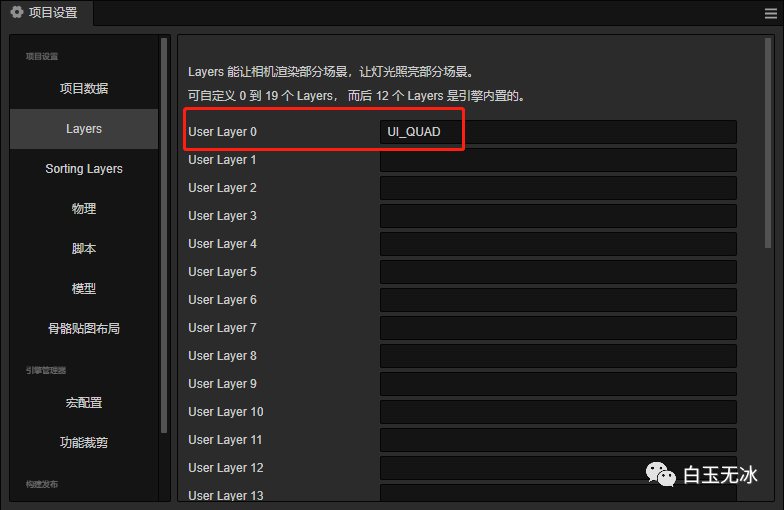
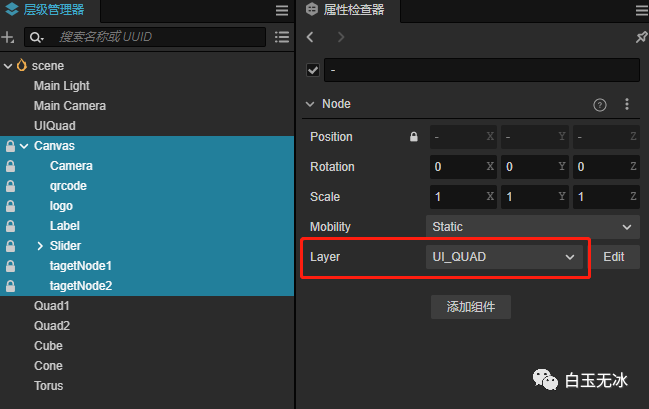
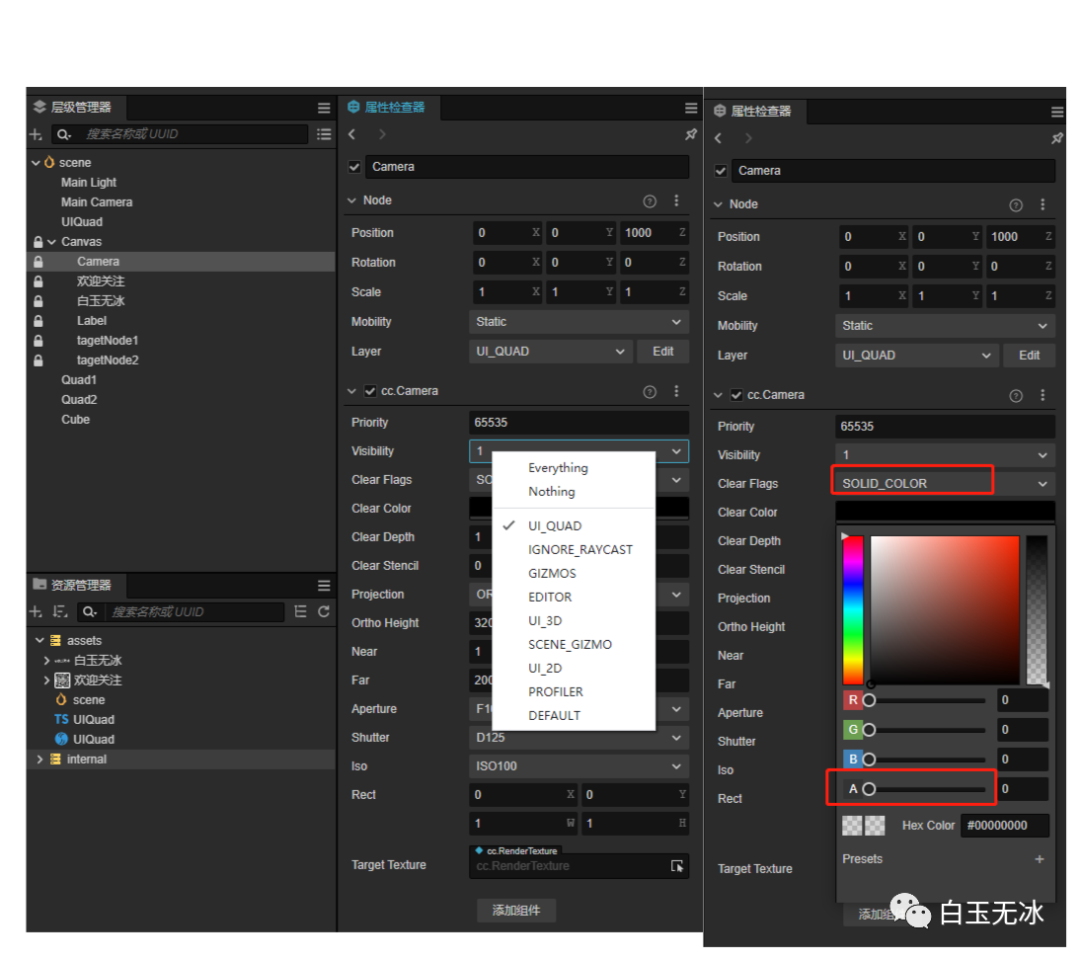
相機(jī)
材質(zhì)
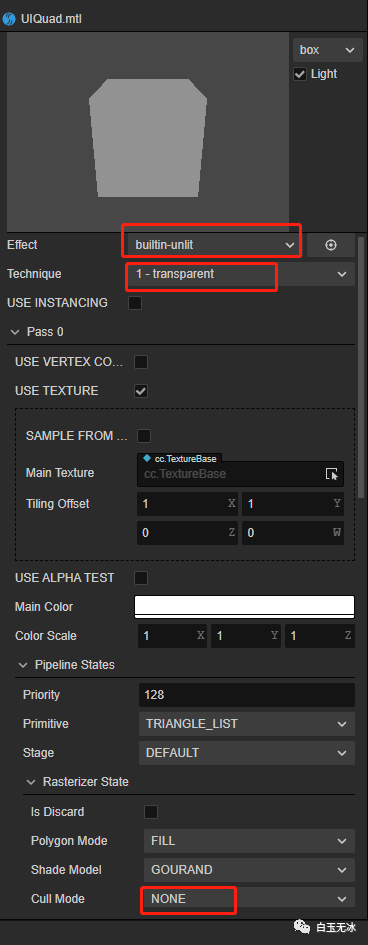
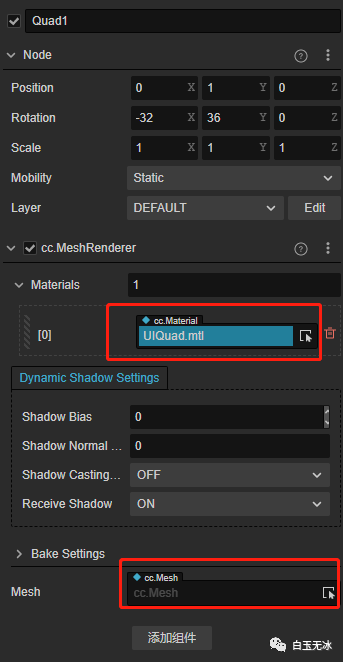
組件
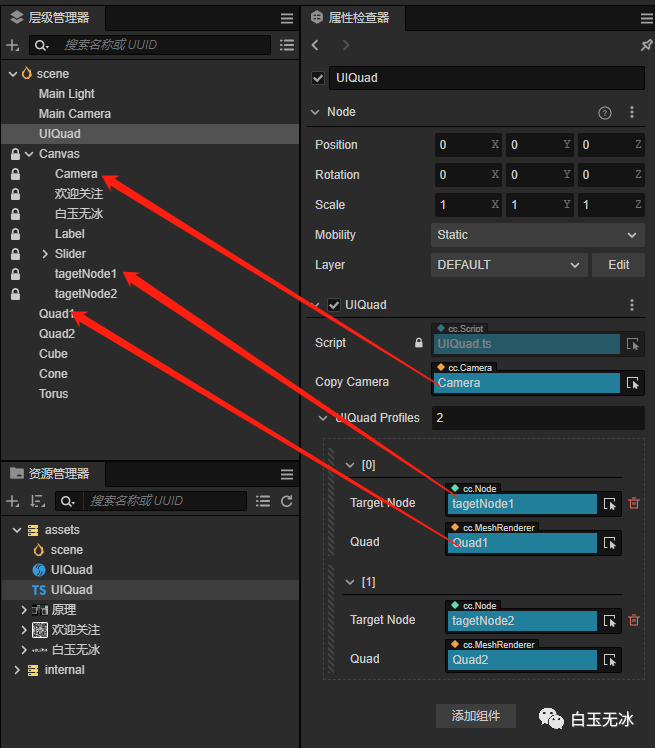
代碼
import { _decorator, Component, Node, Camera, RenderTexture, view, UITransform, MeshRenderer, primitives, utils, log } from 'cc';
const { ccclass, property, executeInEditMode } = _decorator;

@ccclass('UIQuadProfile')
export default class UIQuadProfile {
   @property(Node)
   targetNode: Node = null!;
   @property(MeshRenderer)
   quad: MeshRenderer = null!
}

@ccclass('UIQuad')
@executeInEditMode
export class UIQuad extends Component {
   @property(Camera)
   copyCamera: Camera = null!;

   @property([UIQuadProfile])
   UIQuadProfiles: UIQuadProfile[] = []
   rt: RenderTexture

   start() {
       log('歡迎關(guān)注微信公眾號【白玉無冰】 https://mp.weixin.qq.com/s/4WwCjWBtZNnONh8hZ7JVDA')
   }

   onEnable() {
       if (!this.copyCamera) return
       this.copyCamera.node.active = true;
       this.rt = new RenderTexture();
       this.rt.reset({
           width: view.getVisibleSize().width,
           height: view.getVisibleSize().height,
       })
       this.copyCamera.targetTexture = this.rt;
       this.copyRenderTex();
   }

   onDisable() {
       if (!this.copyCamera) return
       this.copyCamera.node.active = false;
       this.copyCamera.targetTexture = null
       this.rt?.destroy()
   }

   private copyRenderTex() {
       this.UIQuadProfiles.forEach((v, i) => {
           const targetNode = v.targetNode
           const quad = v.quad
           if (!targetNode || !quad) return

           quad.material.setProperty("mainTexture", this.rt);

           const width = targetNode.getComponent(UITransform).width;
           const height = targetNode.getComponent(UITransform).height;
           const anchorPoint = targetNode.getComponent(UITransform).anchorPoint
           const rtwidth = this.rt.width;
           const rtheight = this.rt.height;
           const worldPos = targetNode.getWorldPosition();
           worldPos.x -= width * anchorPoint.x
           worldPos.y -= height * anchorPoint.x
           const geometryQuad = primitives.quad();
           const uv_l = worldPos.x / rtwidth
           const uv_b = worldPos.y / rtheight
           const uv_r = (worldPos.x + width) / rtwidth
           const uv_t = (worldPos.y + height) / rtheight

           geometryQuad.uvs = [uv_l, uv_b, uv_l, uv_t, uv_r, uv_t, uv_r, uv_b]
           quad.mesh = utils.MeshUtils.createMesh(geometryQuad, quad.mesh)

       })
   }
}
更多
參考資料
使用效果、步驟、原理見視頻: https://www.bilibili.com/video/BV1UM411s751
點(diǎn)擊“閱讀原文”查看精選導(dǎo)航
“點(diǎn)贊“ ”在看” 鼓勵(lì)一下 ▼
▼
評論
圖片
表情